The actual map
This is what your placement appears on.
Not a mockup — the working artwork for the Kingston edition. Tap a numbered pin to select that placement. Toggle between the two design directions below.
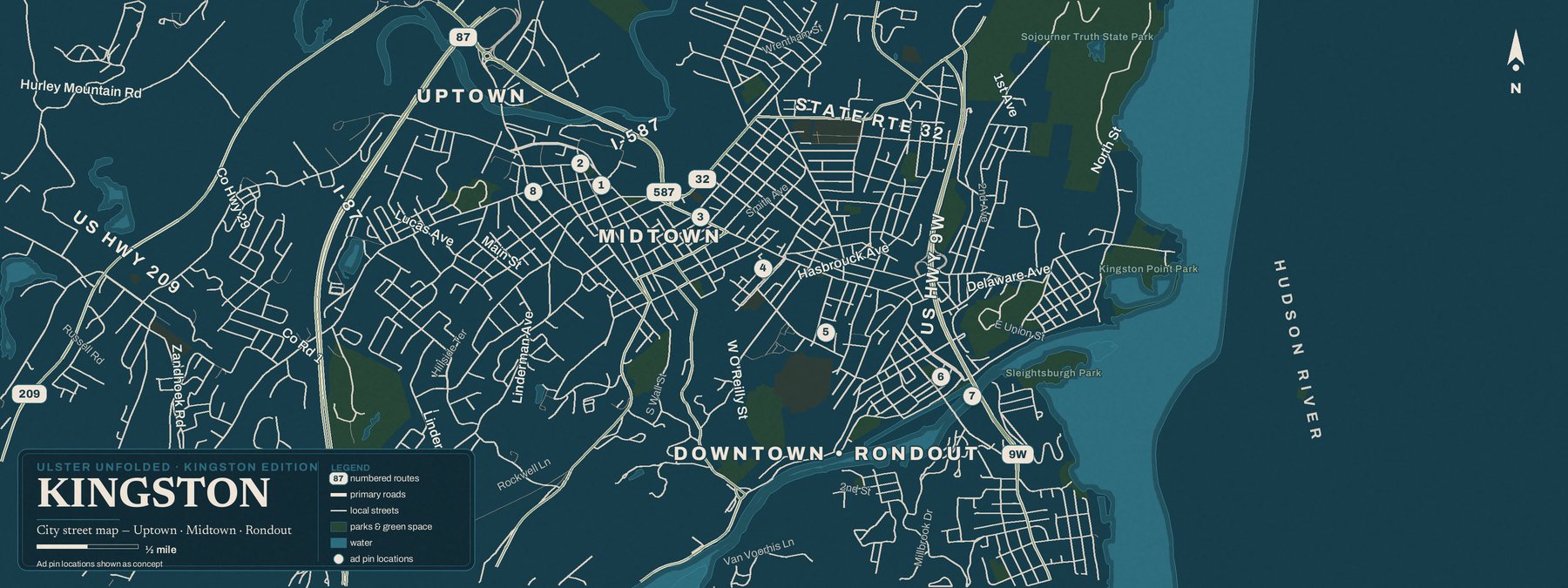
Numbered pins show concept positions. Your final pin is placed at your verified business address — tap the map to enlarge it.
Placement inventory
Choose your placement.
Planning rates. Nothing is sold or held until we confirm availability by email — no payment is collected on this page.
How it works
Three steps to the printed page.
- 01Pick a placement
Browse the map and the inventory, then send a priority hold request. No payment here — just a request.
- 02We verify
We confirm availability and verify your business address before anything is drawn or promised.
- 03You approve
You review your pin, listing, and artwork. Nothing goes to press without your sign-off.
Sales-planning preview, not a press proof. Street geography: U.S. Census TIGER/Line and OpenStreetMap contributors. Ad positions, rates, quantities, and release timing are subject to production review. No placement is sold or held until confirmed by email.